Configuring citation keys in Zotero (zotero-better-bibtex)

Contents
I use Zotero[1]Zotero | Your personal research assistant. Accessed February 21, 2021. https://www.zotero.org/ as my reference manager. I have several reasons for this, but in short, it is free, extensible, and with the right setup, I can quickly restore my environment on a replacement machine if my current computer suddenly fails. I sync only my bibliographic library through the Zotero server and use Dropbox to sync the PDF files. Detailed guides[2][Latest Reiwa Edition] Recommending the reference manager Zotero | SD | note. note. Accessed February 21, 2021. https://note.com/sdeso/n/n013952313c1b already cover these settings, so I recommend referring to them.
(Update: Starting with RStudio 1.4, integration with Zotero has become even easier to use.)
 Using Zotero in RStudio 1.4shoei05.com
Installing Zotero-better-bibtex
Using the Zotero-better-bibtex extension lets you customize your citation keys freely.
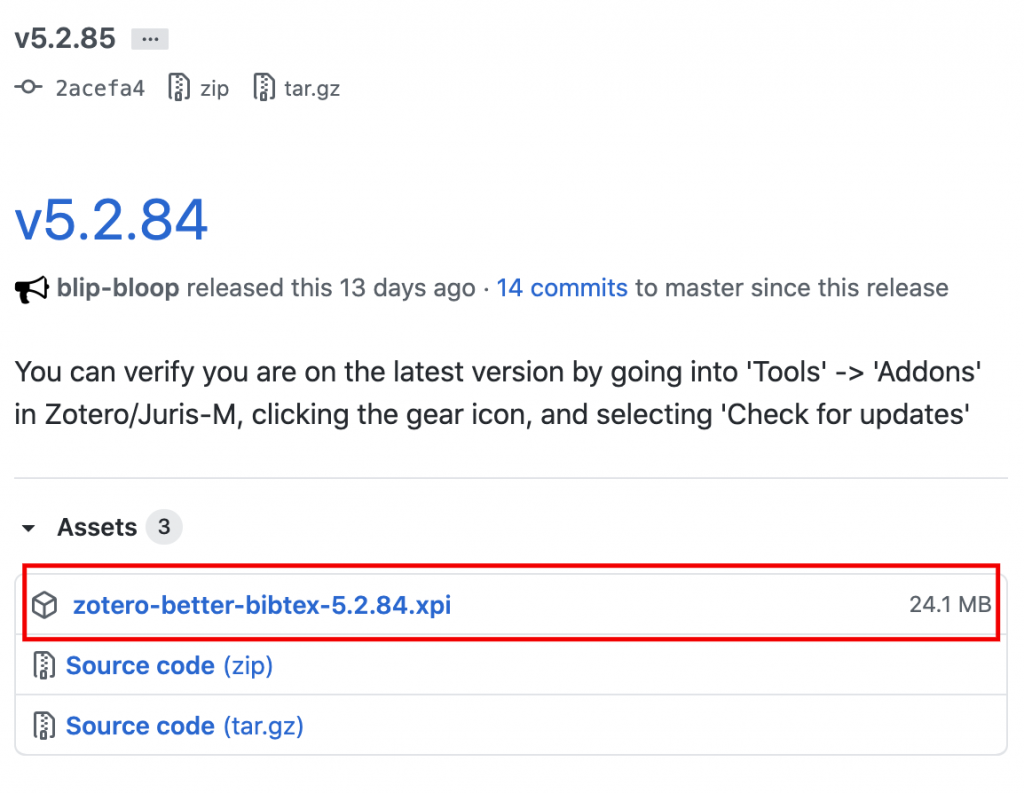
Downloading the .xpi file
Go to https://github.com/retorquere/zotero-better-bibtex/releases/ and download the latest .xpi file. (As of current releases, v5.2.84 is the latest.)
Installing in Zotero
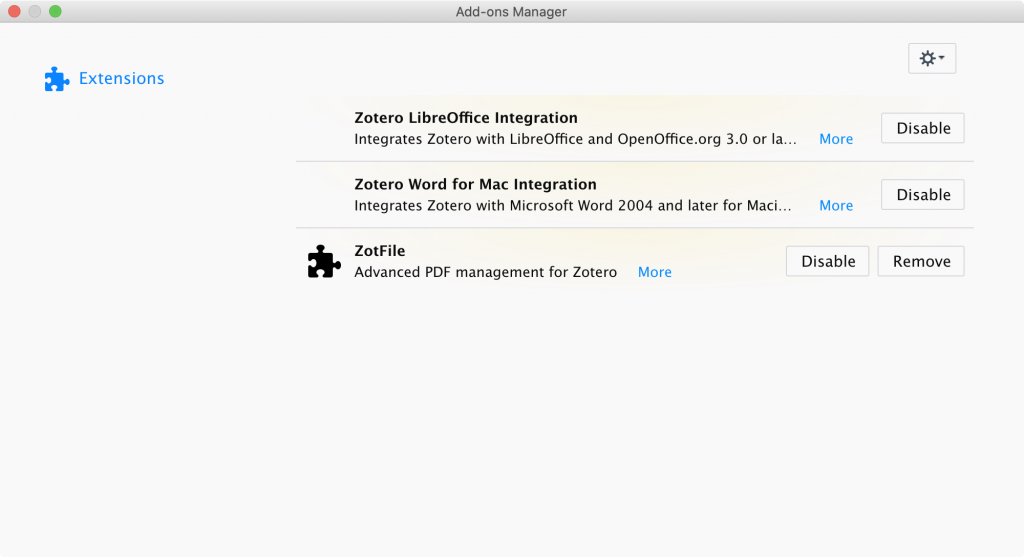
Go to Tools > Add-ons to open the Add-ons Manager window, then drag and drop the .xpi file into this window.
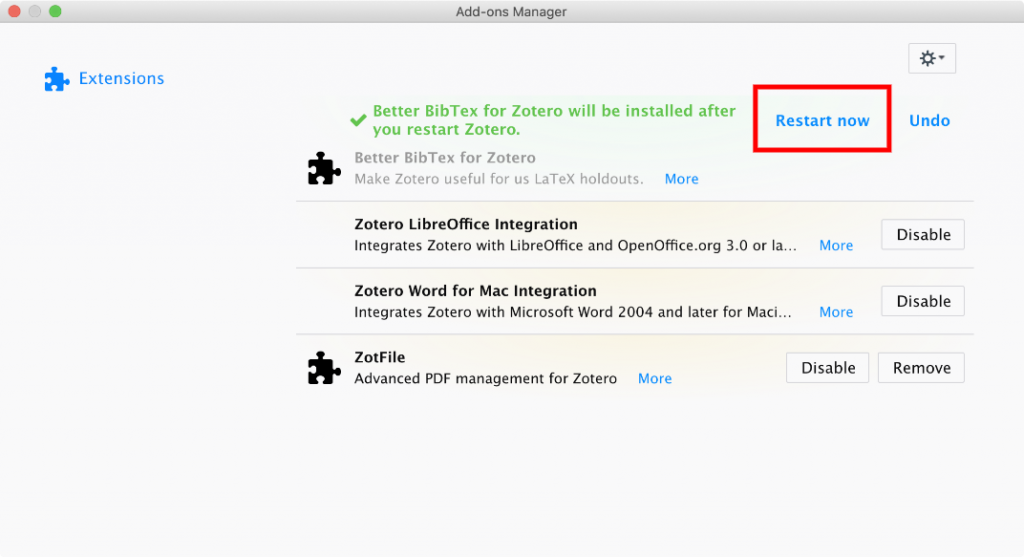
When the confirmation prompt appears, click "Install Now." When prompted to restart, click "Restart now."
After restarting, the initial setup screen appears. You can generally just click "Continue" through the prompts. Along the way, under "Your citation key," it will ask whether to use the BBT default key or the Zotero default key; since we will configure the key format later, either choice is fine.
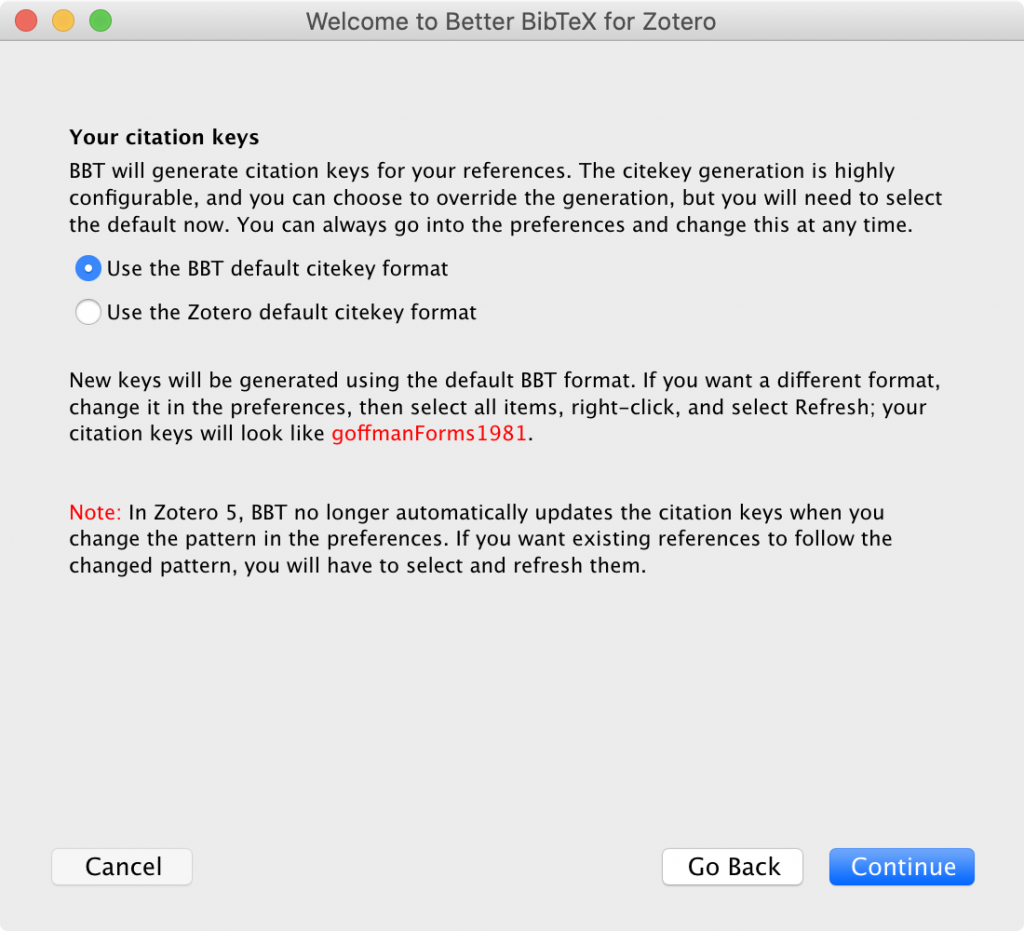
Once you see a "Citekey" column added to the Zotero interface, the installation is complete.
Configuring citation keys
For citation keys, I standardize my format to match the BibTeX cite keys generated by Google Scholar[3]Google Scholar. Accessed February 21, 2021. https://scholar.google.com/. Alongside PubMed[4]PubMed. PubMed. Accessed February 21, 2021. https://pubmed.ncbi.nlm.nih.gov/, Google Scholar has become a de facto standard for searching papers and will likely continue expanding its services. Since you may also end up using .bib files exported directly from Google Scholar alongside your Zotero library, I think it is safer to avoid mixing formats rather than inventing a custom scheme.
Go to Zotero > Preferences > Better BibTeX, and enter the following in the Citation key format field:
[auth:lower][year][shorttitle1_1]Code language: JSON / JSON with Comments (json)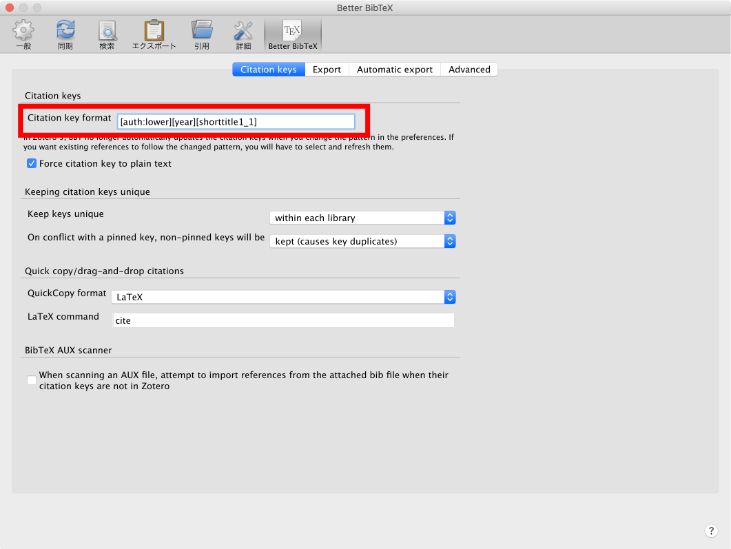
Then close the Preferences window. Next, in the main Zotero window, select everything in My Library (Cmd+A), right-click, and select Better BibTeX > Refresh BibTeX key. If you have selected more than 10 items, a confirmation prompt will appear; just click OK.

Your citation keys are now configured in the same format as Google Scholar.
I referred to this article[5]Automating bibliography output and sorting references in order of appearance with Zotero + BibTeX. Qiita. Accessed February 21, 2021. https://qiita.com/skrb_hs/items/73061b7a8e39f1e73e0d for installing Zotero-better-bibtex.
For integrating with R Markdown, Dr. Takebayashi's (@psycle44[6]TAKEbayesHI (@psycle44) / Twitter. Twitter. Accessed February 21, 2021. https://twitter.com/psycle44) guide, RStudio for Academia[7]RStudio for Academia. Accessed February 21, 2021. https://ytake2.github.io/create.manuscript/RStudio_for_Academia.html, is a helpful resource. Also, the preparation website[9]Yoshihiko Kunisato (Senshu University) & Yoshitake Takebayashi (Fukushima Medical University). Reproducible Manuscript Writing Starting Today. Accessed February 21, 2021. … Continue reading for the workshop "Reproducible Manuscript Writing Starting Today," hosted today at the Japanese Psychological Association by Dr. Takebayashi and Dr. Kunisato (@KunisatoY[8]KunisatoY (@KunisatoY) / Twitter. Twitter. Accessed February 21, 2021. https://twitter.com/KunisatoY), contains useful information on setting up Docker and GitHub.
Please also see these articles on integrating Docker, RStudio, and GitHub.
 Notes on preventing garbled characters in RStudio on Docker and sharing filesystems between host and containershoei05.com
 Managing RStudio with GitHub and project templatesshoei05.com
 Managing RStudio with Docker Composeshoei05.com
References
| ↑1 | Zotero | Your personal research assistant. Accessed February 21, 2021. https://www.zotero.org/ |
|---|---|
| ↑2 | [Latest Reiwa Edition] Recommending the reference manager Zotero | SD | note. note. Accessed February 21, 2021. https://note.com/sdeso/n/n013952313c1b |
| ↑3 | Google Scholar. Accessed February 21, 2021. https://scholar.google.com/ |
| ↑4 | PubMed. PubMed. Accessed February 21, 2021. https://pubmed.ncbi.nlm.nih.gov/ |
| ↑5 | Automating bibliography output and sorting references in order of appearance with Zotero + BibTeX. Qiita. Accessed February 21, 2021. https://qiita.com/skrb_hs/items/73061b7a8e39f1e73e0d |
| ↑6 | TAKEbayesHI (@psycle44) / Twitter. Twitter. Accessed February 21, 2021. https://twitter.com/psycle44 |
| ↑7 | RStudio for Academia. Accessed February 21, 2021. https://ytake2.github.io/create.manuscript/RStudio_for_Academia.html |
| ↑8 | KunisatoY (@KunisatoY) / Twitter. Twitter. Accessed February 21, 2021. https://twitter.com/KunisatoY |
| ↑9 | Yoshihiko Kunisato (Senshu University) and Yoshitake Takebayashi (Fukushima Medical University). Reproducible Academic Writing You Can Start Today. Accessed February 21, 2021. https://ykunisato.github.io/jpa2020-tws-002/index.html |