Managing RStudio with GitHub and project templates
If you don't decide on an organizational method when using RStudio, as the number of projects grows, you'll lose track of which script is the latest, what it contains, and where the files it generated went. It might be fine right now, but your future self probably won't remember the current situation.
Version control with GitHub
Linking GitHub and RStudio is already well summarized in this article ((Introduction to GitHub. Accessed February 21, 2021. https://kunisatolab.github.io/main/how-to-github.html)). If you want to know more about how to use Git in detail, this article by @u_ribo ((Shinya Uryu (@u_ribo) / Twitter. Twitter. Accessed February 21, 2021. https://twitter.com/u_ribo)) is helpful ((Getting started with Git version control in RStudio. Qiita. Accessed February 21, 2021. https://qiita.com/uri/items/6b94609f156173ed43ed)).
Creating a clone
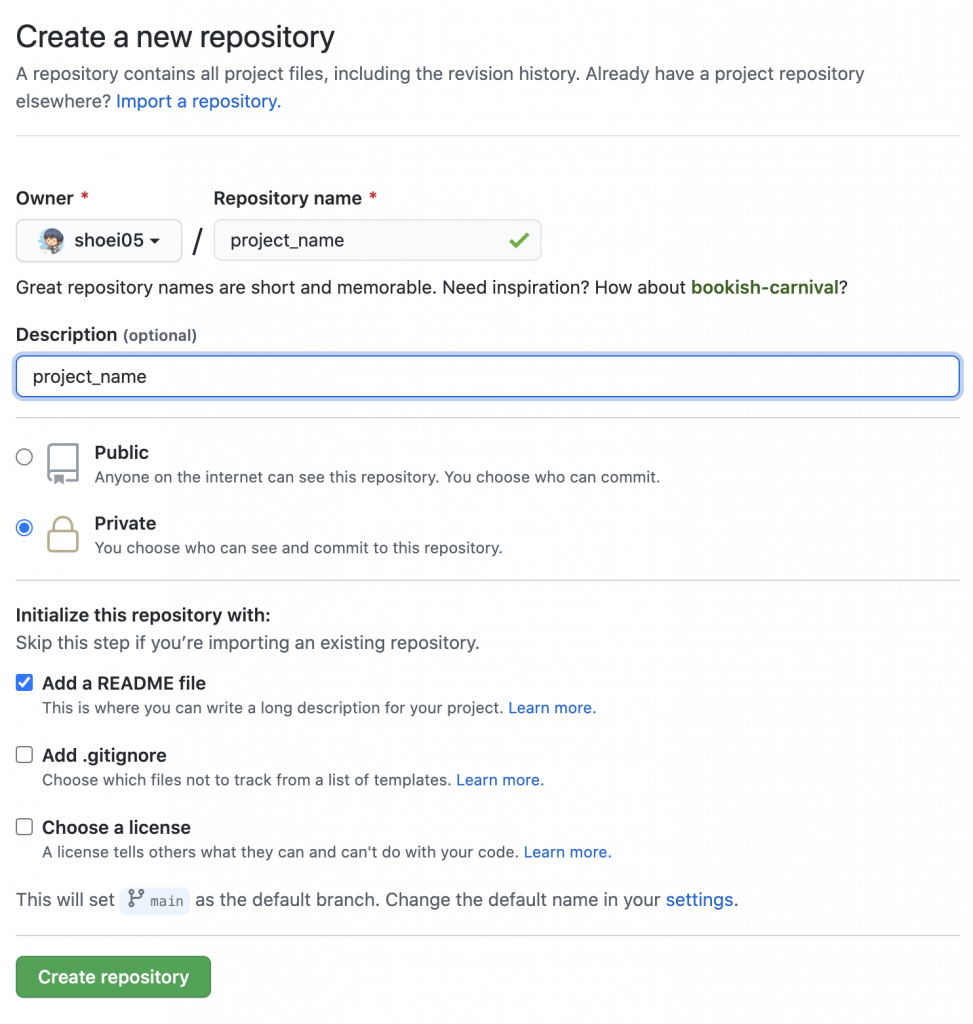
In my case, once I have a research theme (project), I first log in to GitHub and create a private repository. Select Repositories > New. Enter a name in Repository name that makes the project content clear, and click Create repository. Unless you specifically plan to make it public, set it to Private.
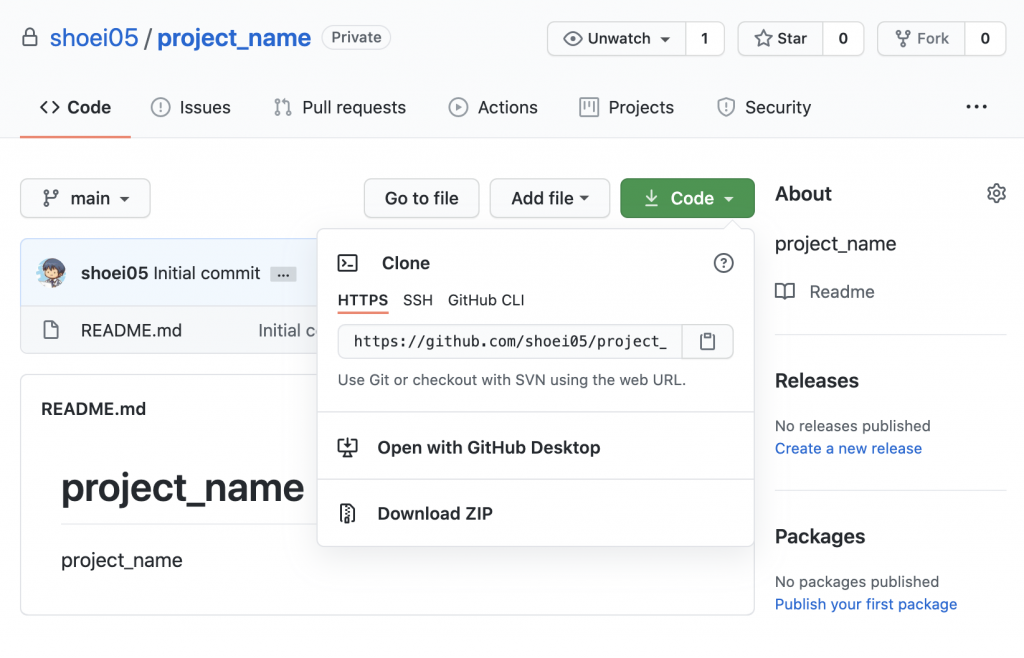
Once redirected to the repository page, copy the HTTPS URL from the Code button.
Open RStudio (localhost:8787). The desktop version works fine too, but here I assume RStudio is running in a Docker environment. Please also refer to the article below.
Select File > New Project > Version Control > Git. Paste the URL you just copied into Repository URL, specify the Project directory name and the location to place the subdirectory, and then proceed to Create Project.
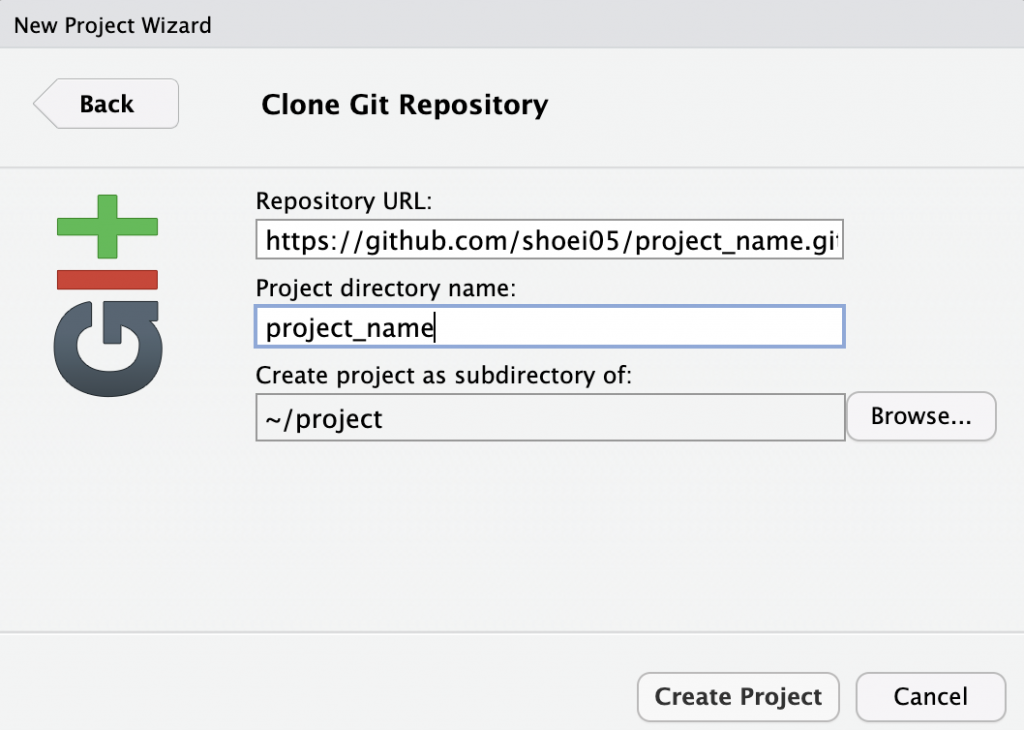
You will be prompted for your registered GitHub username and password. Once you enter them, the project will open. The clone is now complete.
From then on, your daily routine when opening a project will be to use Pull to update the files on your PC -> after working, use Commit to record the change history, and use Push to keep the GitHub repository up to date. For instructions, please refer to the articles I introduced earlier: here ((Introduction to GitHub. Accessed February 21, 2021. https://kunisatolab.github.io/main/how-to-github.html)) and here ((Getting started with Git version control in RStudio. Qiita. Accessed February 21, 2021. https://qiita.com/uri/items/6b94609f156173ed43ed)). If you are wondering "What is Git in the first place?", I recommend the Dotinstall introduction to git ((dotinstall. Introduction to git (22 lessons in total). Dotinstall. Accessed February 21, 2021. https://dotinstall.com/lessons/basic_git)).
When you try to make your first Commit in RStudio on Docker,
fatal: unable to auto-detect email address (got 'hogehoge@hogehoge.(none)')Code language: JavaScript (javascript)you might get an error like this. In that case, from the Terminal next to the Console in RStudio, enter:
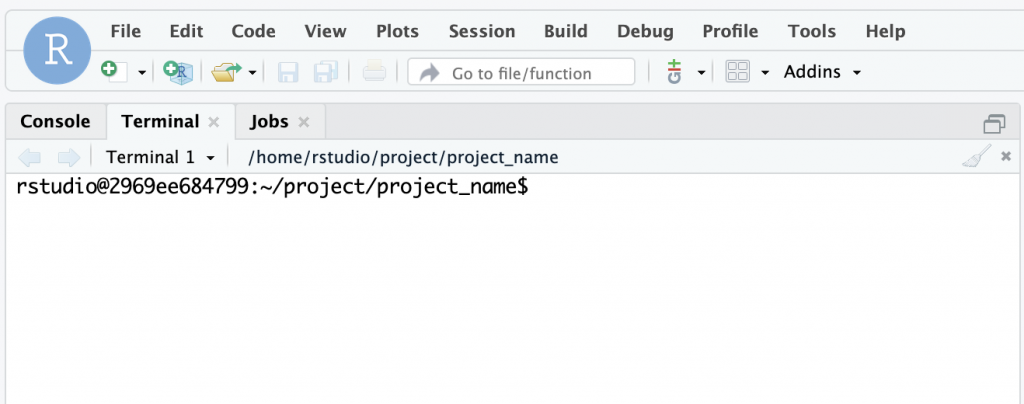
git config --global user.email {mail}
git config --global user.name {name}Code language: PHP (php)
Replace {mail} with your email address and {name} with your name. After that, you should be able to Commit without any problems. I referred to this post.
Organizing inside the project
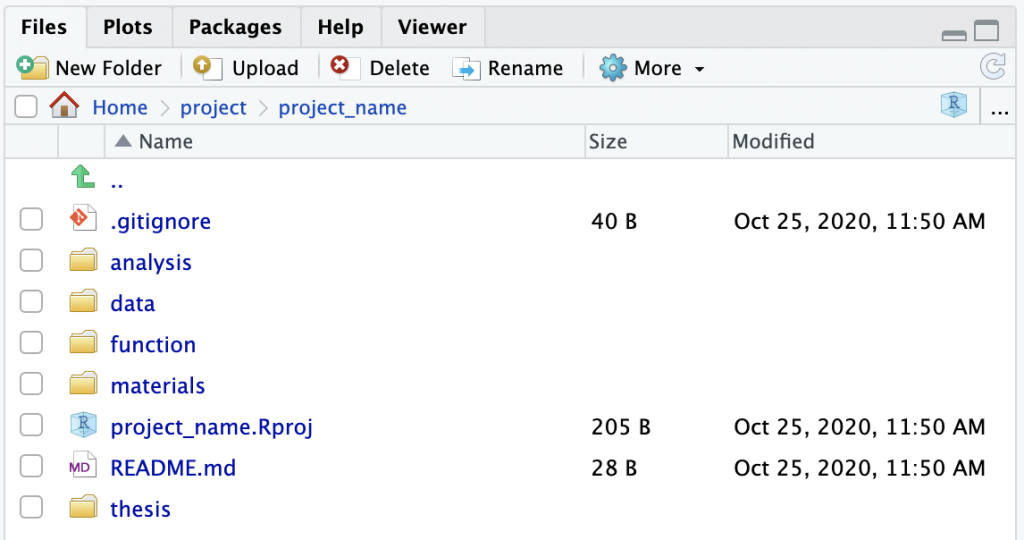
It is better to decide on rules for the contents of your project folder in advance. Referring to this article ((Writing an undergraduate or master's thesis in RStudio. Accessed February 21, 2021. https://kunisatolab.github.io/main/how-to-write-with-rstudio.html)), I organized mine like this:
You can create the folders one by one, or, from the Terminal next to the RStudio Console that we used earlier, you can enter this single line:
mkdir {data,thesis,analysis,function,materials}Code language: JavaScript (javascript)to create all the respective folders at once.
The method using {senshuRmd} introduced here ((Writing an undergraduate or master's thesis in RStudio. Accessed February 21, 2021. https://kunisatolab.github.io/main/how-to-write-with-rstudio.html)) is also convenient ((Rmarkdown template for thesis format at Department of Psychology, Senshu University. Accessed February 21, 2021. https://ykunisato.github.io/senshuRmd/index.html)). {senshuRmd} is an RMarkdown template formatted for undergraduate and master's theses in the Department of Psychology, School of Human Sciences at Senshu University, but it is well worth using for those of us outside the university too.
Try entering and running this in R. I introduce {pacman} in this article.
if (!require("pacman")) install.packages("pacman")
pacman::p_load_gh("senshuRmd")
set_rc_ccp("thesis") #thesisでもプロジェクト名でも良いですCode language: PHP (php)
Doing so automatically generates the template along with the folders mentioned earlier.
The thesis folder now includes Rmd templates for undergraduate and master's theses (thesis.Rmd, reference.bib, apa-6th-edition.csl).
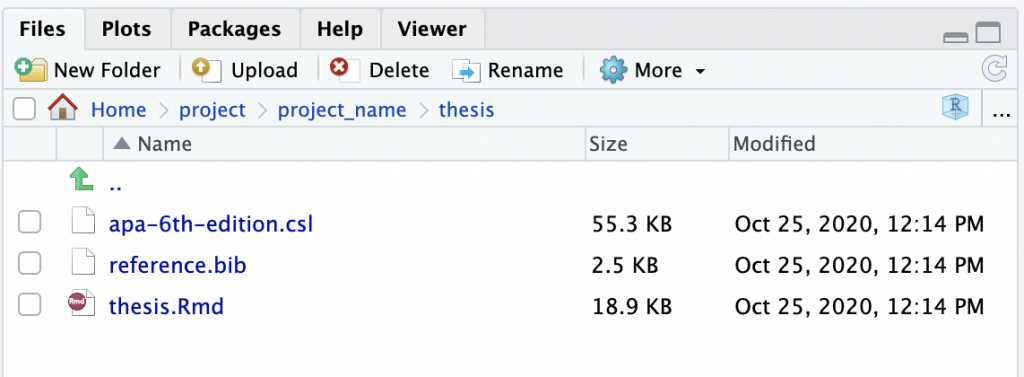
The contents of this thesis.Rmd are also wonderfully thorough, containing general notes for the entire thesis, what to write in the introduction, how to cite literature, and points to keep in mind when writing each section of the main text (previous research, purpose, methods, discussion, conclusion, etc.).
So that I can take action even when my motivation threshold for getting started is low, I want to make my work environment as comfortable as possible while gratefully making use of templates like this to stay organized.