From Antigravity to T3 Code: Where agy -p Crosses the Line, and How to Stay Within the Terms
Contents
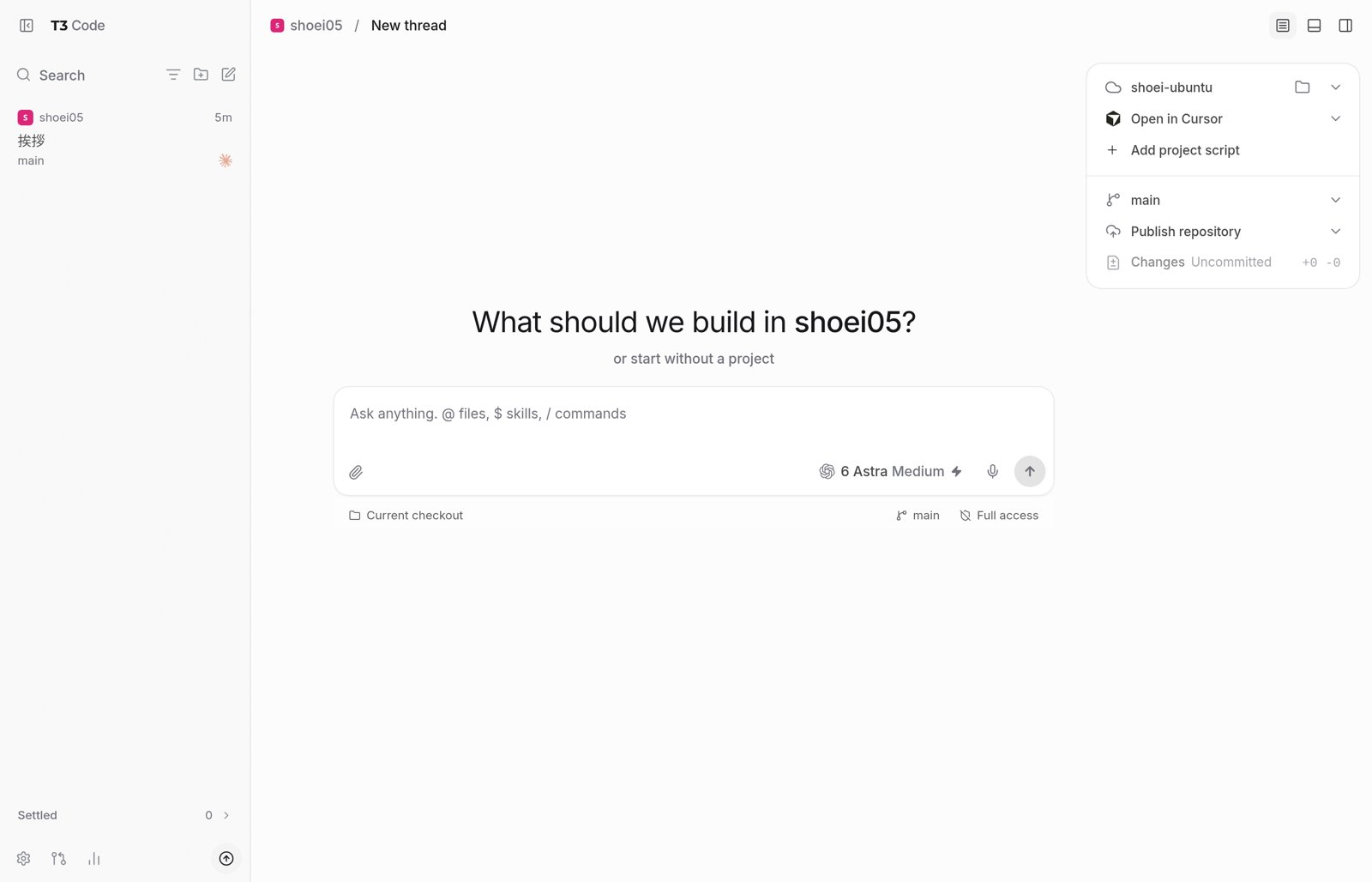
T3 Code is a free application for operating coding agents—including OpenAI's Codex, Anthropic's Claude Code, and Google's Antigravity—from a single interface1. Developed by Theo Browne and the Ping.gg team, it reached its first stable release, version 0.1.0, on October 16, 20262. The core app is MIT-licensed with no paid tiers, and T3 Connect for smartphone access is currently free for up to three computers3.
T3 Code itself contains no AI; the actual work is performed by each subscribed agent. T3 Code serves as the shared interface for sending prompts, reviewing diffs, managing permissions, and operating remotely from a smartphone. This article reflects information as of November 20, 2026.
Why T3 Code Now
A coding agent's usability depends not only on model capability, but also on its tool-execution mechanism (harness) and user interface. Antigravity has drawn usability complaints—such as prompting for approval whenever it reads a file outside the project even in automatic permission mode, and slow browser automation4—leading many users on the Google AI Developers Forum to ask whether they can invoke it from familiar tools like Claude Code or Codex instead of Google's official UI or CLI5,6,7. However, Google's terms prohibit access via non-Google software and state that violations may result in suspension of an Antigravity or Gemini CLI account8.
Against this backdrop, T3 Code is an interface that forum responses have confirmed may be used with Antigravity under an individual plan9,10. A November 16, 2026 response explicitly named T3 Code and Zed, explaining that interfaces through which a user issues instructions directly to Antigravity are permitted11. T3 Code launches the official ACP server included in the Antigravity CLI (agy acp) and communicates over ACP (Agent Client Protocol, a shared specification connecting agents and client interfaces). Authentication follows the official sign-in flow rather than extracting and reusing OAuth tokens12,13. Codex and Claude Code can likewise be operated from external interfaces through each provider's officially supported mechanism14,15.
Even when accessed through T3 Code, however, Antigravity's underlying harness and tool behavior remain those of the Antigravity CLI12. What changes is the interface, switching alongside other agents, and smartphone remote control. Being able to bring personal paid plans from ChatGPT, Claude, and Google into one interface in a way each vendor permits is the reason to choose T3 Code right now.
- Interface (T3 Code)Entering instructions, reviewing diffs, managing permissions, and operating from a smartphone—the shared layer
- Harness (each provider)Codex, Claude Code, Antigravity (
agy acp)—determines how tools are used and how approval is requested - Model (each provider)GPT, Claude, Gemini—consumes the usage quota of your subscribed plan
What Is the Issue with agy -p?
Because Antigravity CLI's headless mode (agy -p) returns a result from a single prompt without opening a UI, users have tried invoking it as a subcontractor from Claude Code or Codex. Forum guidance on whether this is permitted shifted during the autumn of 2026.
agy -p (dates as displayed on the forum)| Date (2026) | Substance of response |
|---|---|
| September 17 | Calling agy -p from your own tool is permitted as long as credentials are not touched16 |
| September 30 | Invoking an unmodified agy from Claude Code on your own computer is also permitted5 |
| October 19 | Having a third-party app run agy internally is not permitted on individual plans, even without touching tokens17 |
| November 9 | Invoking agy -p from Claude Code or Codex violates the terms even through a wrapper script, and may trigger automated suspension6,7 |
Based on threads in the Google AI Developers Forum
The current boundary turns on whether you use Antigravity directly as the primary actor or invoke it from another agent or external harness. The official FAQ states that agy -p is intended for direct user scripting and CI, and that integrating it into third-party agents or apps—or automatically rotating accounts—is not supported on individual plans18. Forum responses explicitly state that such use violates the terms and may trigger automated account suspension6. Over ACP as well, an interface that passes user prompts directly and leaves conversation history and tools to Antigravity (including tools added via MCP) is permitted, whereas an external harness injecting custom system prompts or reconstructed history, or driving automated loops, violates the terms19. If an account is suspended, reinstatement by appeal is limited to once per account20.
Among T3 Code's features, “Edit from here”—which rewinds and edits a thread mid-conversation—creates a new session and resends the retained conversation as a bundle13. Although Google has never ruled on this feature by name, it closely resembles injecting reconstructed history; with Antigravity, the prudent approach is to avoid both this feature and T3 Code-side automated execution, and proceed by issuing instructions directly.
Model selection also warrants caution. In T3 Code, Claude and GPT appear in the model list if they are included in your plan13. Google's ACP documentation, however, restricts non-Gemini models to specific clients such as JetBrains, Android Studio, Zed, and Xcode—and T3 Code is not on that list12. It is safer to limit Antigravity usage in T3 Code to Gemini models.
These boundaries may soon change. On November 20, 2026, in reply to an X post saying that all that remained was letting users use their Gemini subscription with any harness, Logan Kilpatrick—who leads Gemini, Google AI Studio, and the Gemini API at Google—replied, “December 2nd we take the first step”21,22. Because no details have been disclosed, anyone considering invoking agy -p from Claude Code or Codex should wait for the December 2 announcement before deciding.
Initial Setup
Install the desktop application matching your computer from the GitHub releases page23. Agents are connected under Settings → Providers. For Codex, sign in via “Connect with ChatGPT”; for Claude Code, install it separately and run claude auth login; for Antigravity, install the binary from Providers and sign in with “Google account”13,14,24.
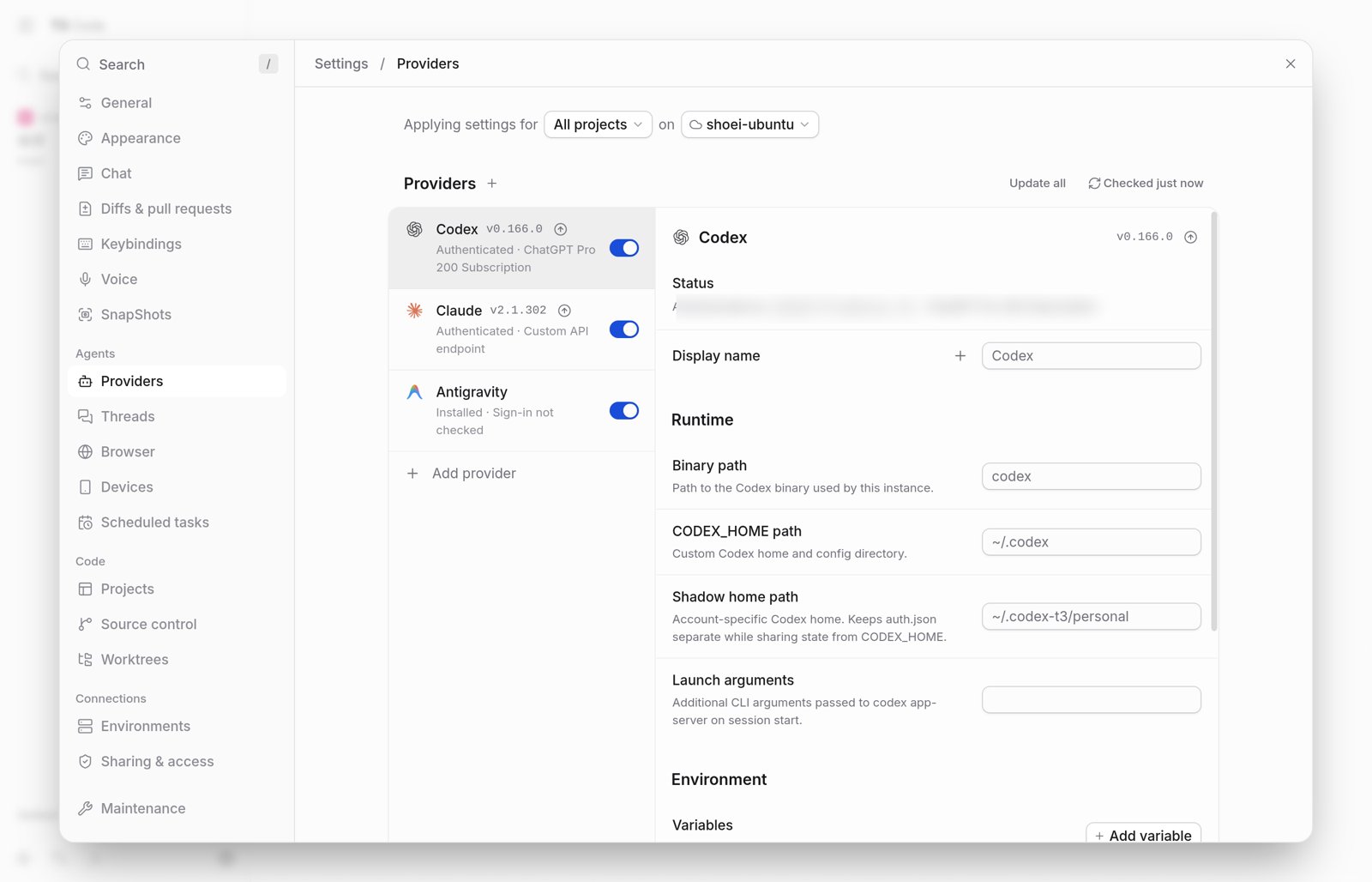
The default permission mode for new threads is “Full access,” under which both command execution and file modifications proceed without confirmation in principle. Switching to “Supervised” under Settings → Threads → New threads → Permissions prompts for approval before changes are made (this does not apply retroactively to existing threads)25. Because code and file contents passed to models are transmitted to each vendor's AI service3, verify that your institution's policies permit such use before working with patient information or identifiable research data.
Using T3 Code from a Smartphone
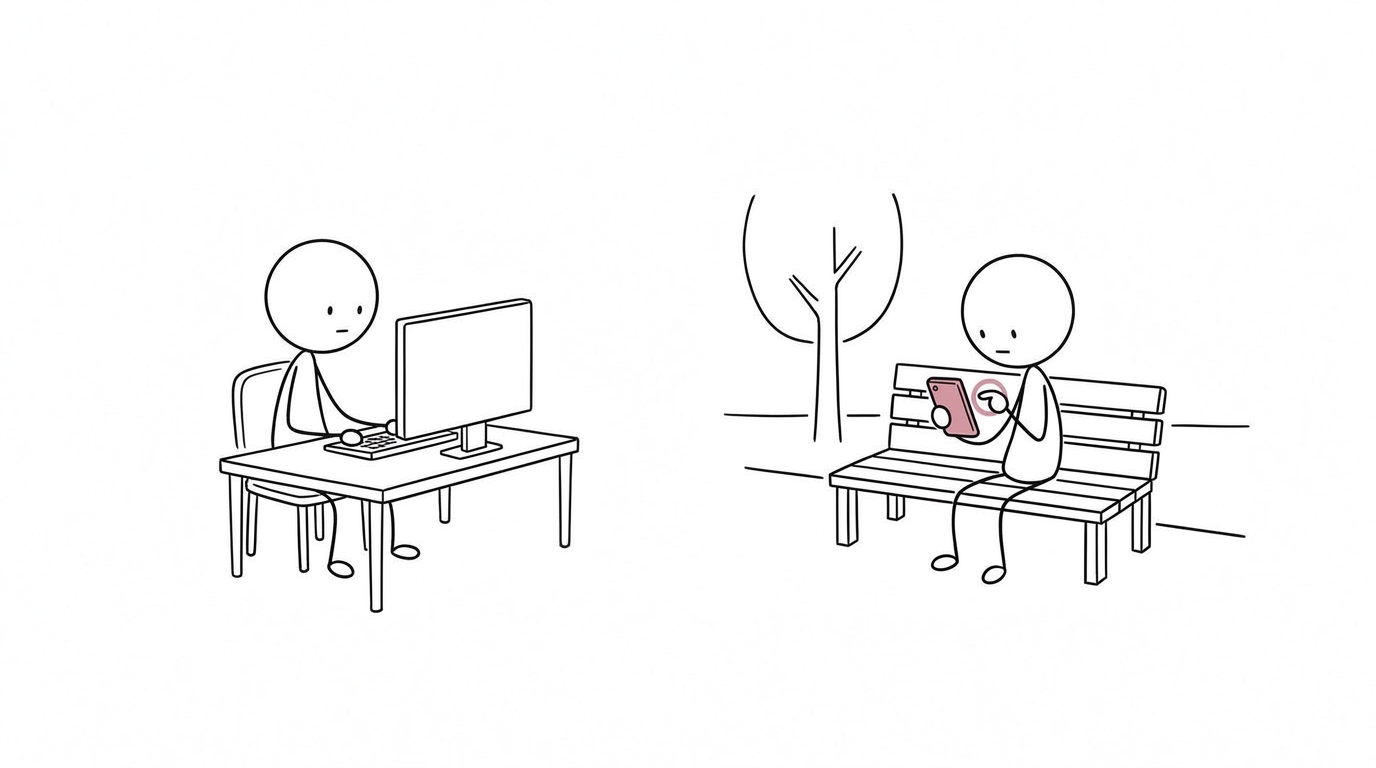
The T3 Code mobile app (App Store / Google Play) remotely controls a T3 Code instance running on your computer. Two connection methods are available and can be used together: “T3 Connect,” which routes through a T3 account, and “direct connection” over a LAN or Tailscale26. In either case, keep the computer awake with T3 Code running. Running the CLI version as a background service removes the need to keep the GUI open, though on macOS and Windows the service stops if you log out27.
| Item | T3 Connect | Direct connection (LAN / Tailscale) |
|---|---|---|
| Setup | Enable T3 Connect under Settings → Sharing & access on the computer, then sign in with the same account on the smartphone | Turn on “Network access” on the computer and register the host under “Add environment” using a pairing QR code or link |
| Network path | Cloudflare tunnel established by cloudflared on the computer (outbound port 7844); no router configuration required | Connects directly to the same LAN or Tailscale address |
| New devices | Devices signed into the same account connect by default; approval mode can be enabled | Issue a pairing link for each device |
| Notifications | Can notify you of task completion and pending approvals | Not delivered over direct connection alone |
| Device limit | Free for up to 3 computers; smartphones are not counted | Does not count toward the T3 Connect limit |
Based on T3 Code's FAQ, remote access, and troubleshooting documentation3,26,28
| Scenario | Recommended approach |
|---|---|
| First-time setup on a personal home computer | T3 Connect, with approval required for new devices enabled |
| Already using Tailscale | Direct connection over Tailscale; pair with T3 Connect if you want notifications |
| Use limited to the same home Wi-Fi network | Direct connection over LAN |
| Computer managed by a hospital or university | Confirm which connection methods are permitted by your institution first, and stay within those bounds |
With T3 Connect, traffic travels through a Cloudflare tunnel rather than being relayed by T33. Because devices signed into the same account can connect by default, enable “Require approval for new devices” under Sharing & access and review the list of already-approved devices26. With direct connection, turning on Network access allows other devices on the LAN to attempt connections, so safeguard pairing QR codes and links like passwords26,27. Traffic over Tailscale is encrypted, though depending on network conditions it may traverse Tailscale's relay servers29.
To receive notifications, enable Device Notifications on your smartphone and Publish agent activity on your computer30. Because this sends project names, thread names, and model names to T3 Connect31, avoid putting patient identifiers or other sensitive details in project or thread names. On workplace computers, confirm beforehand whether your institution permits outbound tunnels, VPNs, or LAN connections. If T3 Connect traffic (outbound port 7844) is blocked, Tailscale can serve as an alternative where permitted28.
References
- pingdotgg. T3 Code (GitHub repository). Accessed November 20, 2026. https://github.com/pingdotgg/t3code
- pingdotgg. T3 Code v0.1.0 (released October 16, 2026). https://github.com/pingdotgg/t3code/releases/tag/v0.1.0
- T3 Code. FAQ. Accessed November 20, 2026. https://github.com/pingdotgg/t3code/blob/main/docs/user/faq.md
- Kenn Ejima (@kenn). Post on X (impressions after resuming use of Antigravity). November 20, 2026.
- Google AI Developers Forum. Is invoking the official `agy` CLI from a local AI coding assistant allowed on an individual Google AI account? (response on September 30, 2026). https://discuss.ai.google.dev/t/is-invoking-the-official-agy-cli-from-a-local-ai-coding-assistant-allowed-on-an-individual-google-ai-account/185992
- Google AI Developers Forum. Terms Section 6: may a local script run the official agy CLI when launched by another vendor's AI tool? (response on November 9, 2026). https://discuss.ai.google.dev/t/terms-section-6-may-a-local-script-run-the-official-agy-cli-when-launched-by-another-vendors-ai-tool/199021
- Google AI Developers Forum. Is launching the official Antigravity CLI from Codex permitted under the terms? (response on November 9, 2026). https://discuss.ai.google.dev/t/is-launching-the-official-antigravity-cli-from-codex-permitted-under-the-terms/198794
- Google. Google Antigravity Additional Terms of Service. Accessed November 20, 2026. https://antigravity.google/terms
- Google AI Developers Forum. ToS Clarification — Is T3 Code (official Antigravity ACP agent) permitted under the Antigravity Terms of Service? (response on October 26, 2026). https://discuss.ai.google.dev/t/tos-clarification-is-t3-code-official-antigravity-acp-agent-permitted-under-the-antigravity-terms-of-service/192027
- Google AI Developers Forum. Conflicting guidance on using T3 Code with personal Google AI subscriptions (response on November 2, 2026). https://discuss.ai.google.dev/t/conflicting-guidance-on-using-t3-code-with-personal-google-ai-subscriptions/197131
- Google AI Developers Forum. ToS clarification: Is human-supervised Codex to Antigravity ACP delegation permitted? (response on November 16, 2026). https://discuss.ai.google.dev/t/tos-clarification-is-human-supervised-codex-to-antigravity-acp-delegation-permitted/200697
- Google. Other editors (ACP) — Google Antigravity Docs. Accessed November 20, 2026. https://antigravity.google/docs/ide/extensions/acp
- T3 Code. Antigravity. Accessed November 20, 2026. https://github.com/pingdotgg/t3code/blob/main/docs/user/providers-antigravity.md
- T3 Code. Codex. Accessed November 20, 2026. https://github.com/pingdotgg/t3code/blob/main/docs/user/providers-codex.md
- Anthropic. Claude Code: Legal and compliance. Accessed November 20, 2026. https://code.claude.com/docs/en/legal-and-compliance
- Google AI Developers Forum. Is it allowed for an open-source tool to call the official `agy` CLI in headless mode? (response on September 17, 2026). https://discuss.ai.google.dev/t/is-it-allowed-for-an-open-source-tool-to-call-the-official-agy-cli-in-headless-mode/183429
- Google AI Developers Forum. Can a third-party desktop app run the official Antigravity CLI with the user’s own Google AI Pro/Ultra subscription? (response on October 19, 2026). https://discuss.ai.google.dev/t/can-a-third-party-desktop-app-run-the-official-antigravity-cli-with-the-user-s-own-google-ai-pro-ultra-subscription/190447
- Google. Antigravity FAQ. Accessed November 20, 2026. https://antigravity.google/docs/faq/
- Google AI Developers Forum. A question regarding the usage limitations of Antigravity ACP (response on November 19, 2026). https://discuss.ai.google.dev/t/a-question-regarding-the-usage-limitations-of-antigravity-acp/202556
- Google AI Developers Forum. Using Antigravity custom agent lead to an account ban (response on November 17, 2026). https://discuss.ai.google.dev/t/using-antigravity-custom-agent-lead-to-an-account-ban/201416
- Kun Chen (@kunchenguid). Post on X. November 20, 2026. https://x.com/kunchenguid/status/2123643593688822222
- Logan Kilpatrick (@OfficialLoganK). Reply on X. November 20, 2026. https://x.com/OfficialLoganK/status/2123657759896007035
- T3 Code. Install T3 Code. Accessed November 20, 2026. https://github.com/pingdotgg/t3code/blob/main/docs/user/install.md
- T3 Code. Claude. Accessed November 20, 2026. https://github.com/pingdotgg/t3code/blob/main/docs/user/providers-claude.md
- T3 Code. Permission modes. Accessed November 20, 2026. https://github.com/pingdotgg/t3code/blob/main/docs/user/permission-modes.md
- T3 Code. Remote access. Accessed November 20, 2026. https://github.com/pingdotgg/t3code/blob/main/docs/user/remote-access.md
- T3 Code. Running T3 Code in the background. Accessed November 20, 2026. https://github.com/pingdotgg/t3code/blob/main/docs/user/background-service.md
- T3 Code. T3 Connect troubleshooting. Accessed November 20, 2026. https://github.com/pingdotgg/t3code/blob/main/docs/user/t3-connect-troubleshooting.md
- Tailscale. Connection types. Accessed November 20, 2026. https://tailscale.com/docs/reference/connection-types
- T3 Code. Mobile notifications. Accessed November 20, 2026. https://github.com/pingdotgg/t3code/blob/main/docs/user/mobile-notifications.md
- T3 Code. Product usage data. Accessed November 20, 2026. https://github.com/pingdotgg/t3code/blob/main/docs/user/telemetry.md